

Monitoring Webhooks
There are a few ways to monitor webhooks, in addition to the record of webhooks on your webhook server.
The first is within Nuki Web. In the “API” menu, head to “Advanced API”, where you will see a table of the last 300 webhook requests. Here you can see the status code that we received from your webhook server, as well as the payload of the webhook.
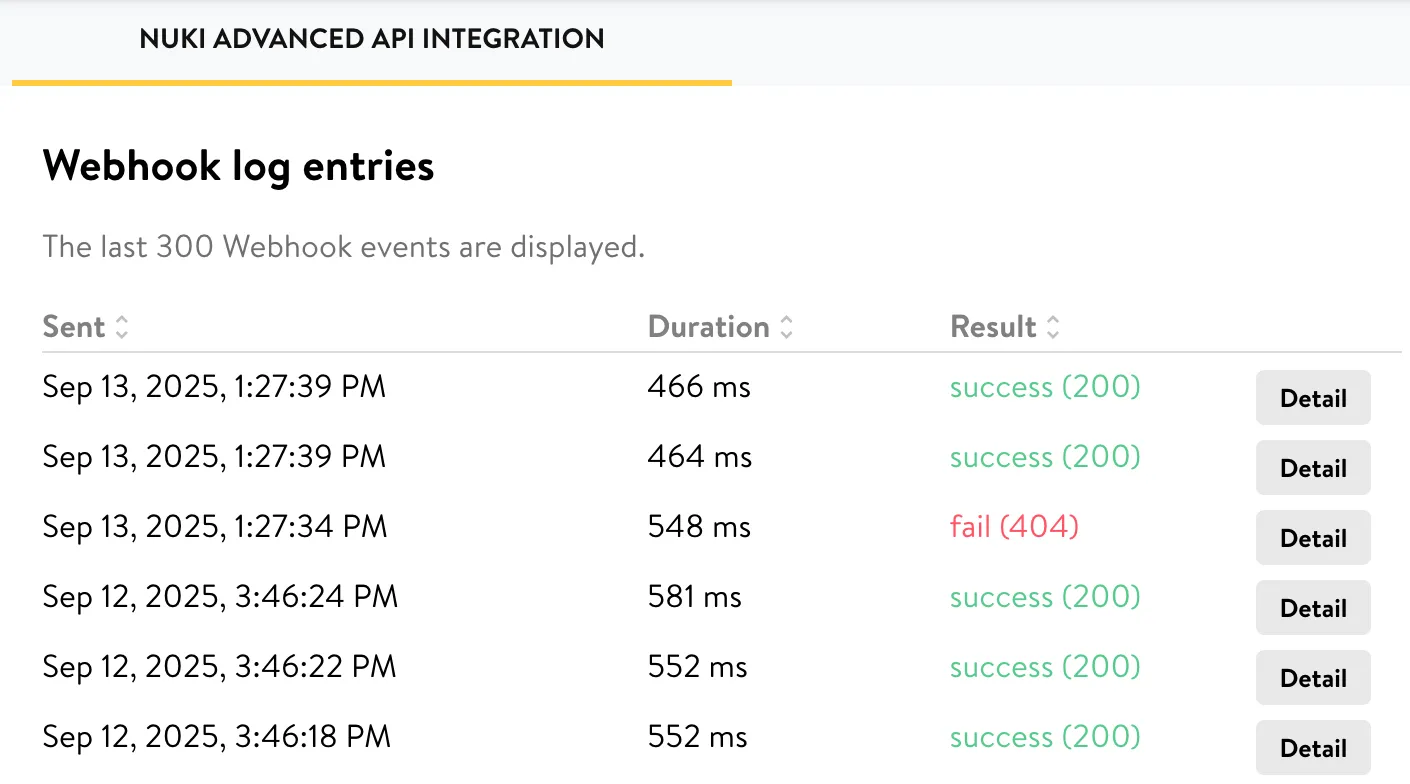
Additionally, we offer a dedicated endpoint for fetching these webhook logs. Once again, only the last 300 are stored. You can fetch those logs with a GET request to a dedicated webhook logs endpoint.
The following optional parameters can be used with this endpoint:
| Parameter | Description |
|---|---|
| id | The webhook ID you wish to filter for. This is a hexidecimal representation of an Object ID |
| limit | The number of webhook log entries that should be returned (Default: 50) |
Here is an example response from this endpoint:
[ { "id": "68c555..........6bcace0c", "succeeded": true, "responseStatus": 200, "duration": 466, "accountId": 987654321, "response": { "headers": { "X-Nuki-Signature-SHA256": "d89d6833806449..............................b9d5e7d0682c32c20fcd", "X-Nuki-Signature": "842c71c8f....................5a563b66136", "Content-Type": "application/json; charset=UTF-8" }, "body": { "feature": "DEVICE_MASTERDATA", "deleted": false, "smartlockId": 123456789, "accountId": 987654321, "type": 4, "authId": 1212121212, "name": "Hello", "favorite": false, "firmwareVersion": 199175, "hardwareVersion": 1291, "serverState": 0, "adminPinState": 0, "creationDate": "2025-01-16T12:20:23.541Z", "updateDate": "2025-09-13T11:27:37.772Z" }, "timestamp": "2025-09-13T11:27:39.298Z", "path": "https://andrew-nuki.free.beeceptor.com" }, "apiKeyId": 1010101010, "updated": "2025-09-13T11:27:39.764Z", "created": "2025-09-13T11:27:39.000Z" }, // ...]