

Central & Decentral Webhooks
Central Webhooks
Section titled “Central Webhooks”Central webhooks are the default setup for receiving webhooks. This implies that all webhooks will be sent to one single webhook URL.
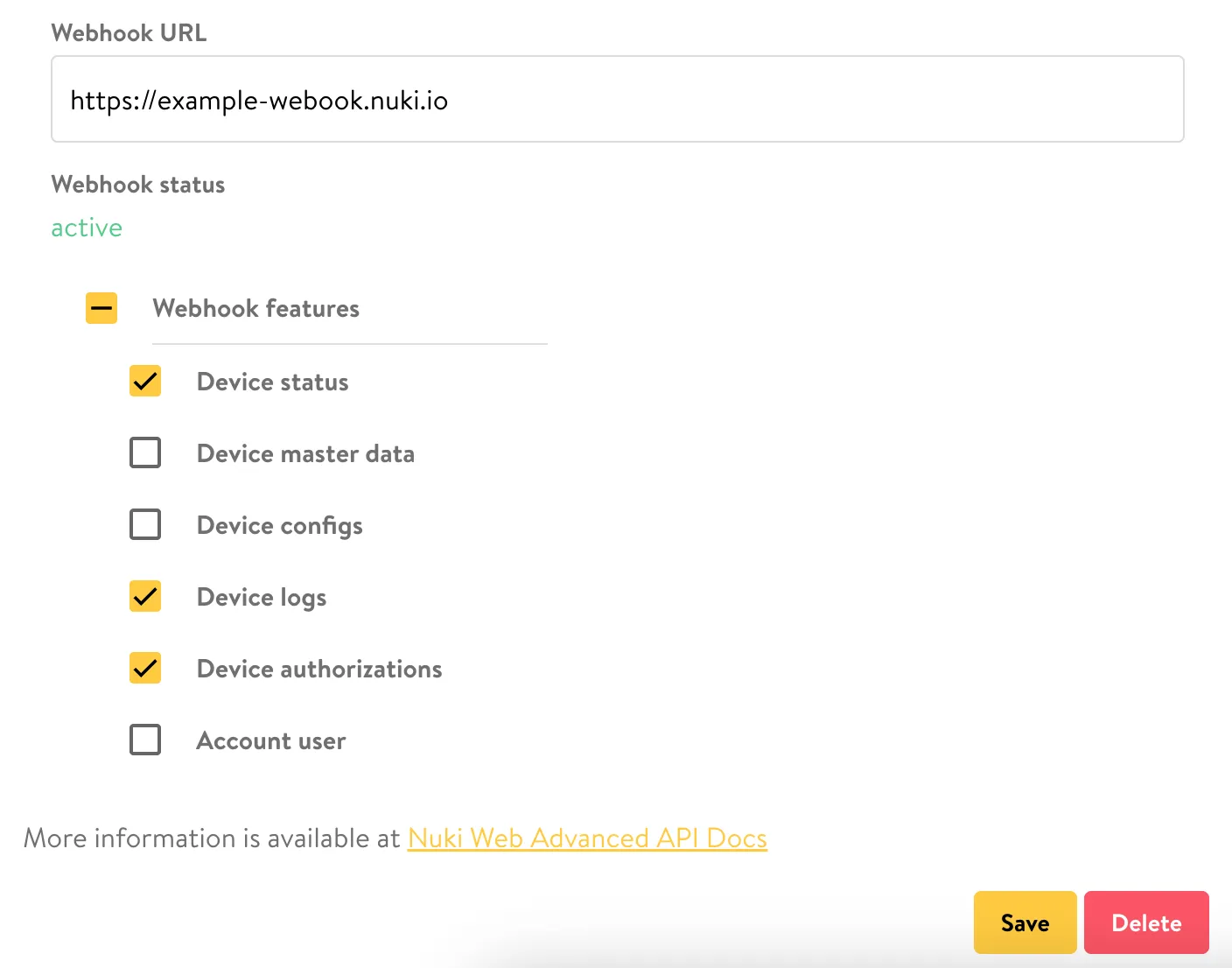
This webhook URL is defined during the Advanced API application process, but it can be updated within your Nuki Web account.
You can also choose which device triggered webhooks should be sent to this webhook URL via the checkboxes.
Decentral Webhooks
Section titled “Decentral Webhooks”Decentral webhooks imply that webhooks will be sent to different webhook URLs.
You must register decentral webhooks via an API request.
You can register decentral webhooks via a PUT request to the decentralWebhook endpoint.
The payload must include the URL of the webhook, as well as the types of webhooks you wish to register. Here is an example payload:
{ "webhookUrl": "https://decentral123.example.com", "webhookFeatures": [ "DEVICE_STATUS", "DEVICE_MASTERDATA", "DEVICE_CONFIG", "DEVICE_LOGS", "DEVICE_AUTHS", "ACCOUNT_USER" ]}The response contains the identifier of the decentral webhook, as well as a secret.
{ "id": 123456789, "secret": "xxx...", "webhookUrl": "https://decentral123.example.com", "webhookFeatures": [ "DEVICE_STATUS", "DEVICE_MASTERDATA", "DEVICE_CONFIG", "DEVICE_LOGS", "DEVICE_AUTHS", "ACCOUNT_USER" ]}Every decentral webhook POST contains a header field “X-Nuki-Signature-SHA256” with the signature value of the signed body’s payload. The JSON body is signed with the HMAC SHA256 algorithm based on RFC2104, with the secret from the PUT response as the signing key.
There are also dedicated endpoints for fetching all decentral webhooks, as well as deleting any that you no longer require. See the API reference for more information.